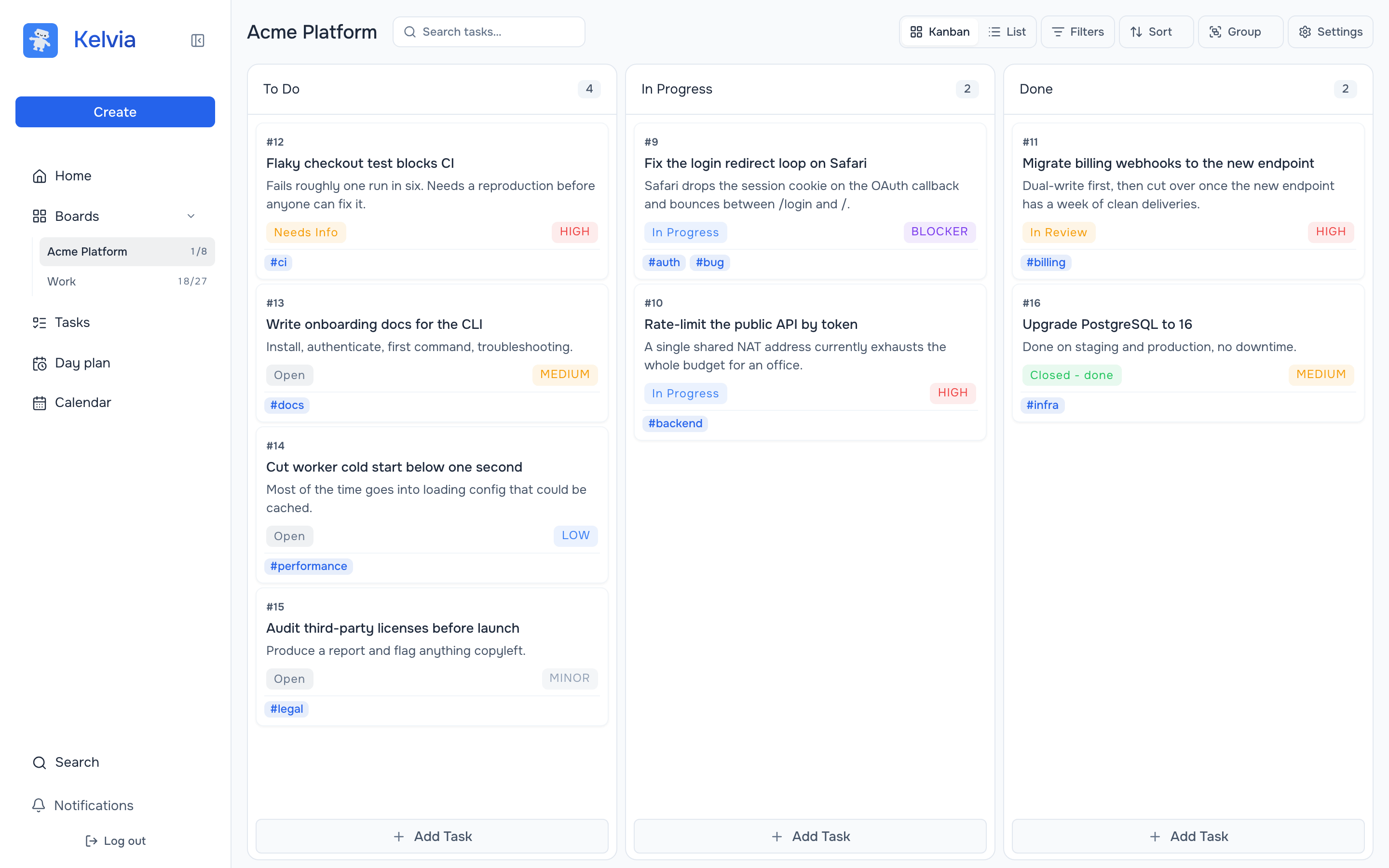
TL;DR: one board per client, the client invited as a viewer, a separate agent key scoped to that board, and worklogs the agent writes as it goes. Everything the client needs to see is a browser tab; everything they shouldn't see is somewhere else.
Why not just use the local board?
Because a SQLite file on your laptop is a fantastic personal tool and a non-starter the moment a second person has a legitimate interest in the work. There is no viewer role in a local file. There is no "show the client this column and nothing else." Screenshots in a chat thread are what people fall back on, and screenshots are how invoices turn into arguments.
This isn't an argument against local tools — for solo work with no audience they're often the right call, and this page won't pretend otherwise. It's an argument that contract work has a second reader, and second readers change the requirements.
The three things that actually go wrong
Bleed between clients. Two projects open, one agent, and a task from the wrong board. Once is embarrassing; twice is a conversation about confidentiality.
The invisible week. The agent did nine things on Tuesday. By Friday the transcript is compacted, and reconstructing what happened for a status update costs you an hour you can't bill.
Attribution. When the agent posts a comment and it lands under your name, you've quietly taken authorship of every confident wrong answer it produced.
The setup, concretely
- One board per client. Membership in Kelvia is per board, so a person on one board has no view into another. That's the isolation boundary, and it's the same boundary the agent gets.
- Invite the client as a viewer. Roles are owner, admin, member and viewer. A viewer follows the work and cannot move it. They need an account and a browser; they do not need a terminal, a CLI or an opinion about MCP.
- A separate agent key per board. Give it its own board role, scopes for read, create, edit and delete, and an expiry date. Its comments, task changes and worklogs are attributed to the agent, not to you.
- Connect the agent over MCP. Claude Code, Codex and Cursor all speak it; setup is on the MCP documentation page.
Read the board for client A. Do not change anything.
Summarise what moved since Monday and what is blocked.
Start every new board with a read-only request. It confirms you're pointed at the right client before anything gets written to the wrong one.
Hours you can bill from
Worklogs live on tasks and are available over MCP — the agent can create, read, update and delete them within its scopes. In practice that means the record of what was done accumulates next to the task while the work is happening, instead of being reconstructed from memory on invoice day.
Run the failing tests for task #18. When they pass, add a worklog with
the time spent, comment with the files changed, and move it to Review.
Do not mark it Done.
The client sees the same task move, with the same comment, at the same moment. Status meetings get shorter, which is the only reliable way to make them better.
When the contract ends
Revoke that board's agent key and remove the member. Because the key was scoped to one board and can carry an expiry date, offboarding does not involve rotating anything that touches your other clients. The board and its history stay with you unless you hand it over.
What this doesn't do
- No invoicing. Worklogs are a record of time, not a billing system. Export and invoice wherever you already do.
- The client needs an account. There is no anonymous share link today. If your client will not create a login, this setup does not work for them.
- It does not run agents. No worktrees, no parallel workspaces. Kelvia is where the work is tracked, not where it executes.
- It is hosted. Not self-hostable. If a client contract requires data on your own infrastructure, this is the wrong tool.
FAQ
Can a client see the board without installing anything?
Yes, in a browser. They need a Kelvia account and an invitation to that one board with the viewer role.
Can I keep clients separated from each other?
Yes. Membership and agent keys are both scoped per board, so access to one board grants nothing on another.
Can the agent log billable time?
Yes. Worklogs can be created, read, updated and deleted over MCP within the key's scopes.
What happens when a contract ends?
Revoke the board's agent key and remove the member. Keys can also carry an expiry date so access lapses on its own.
Does it cost per client?
No. Kelvia is free, with no paid tier and no seat count, so additional boards and viewers do not add cost.
One board for people and agents
Set up the first client board
Create a board, invite the client as a viewer, and let the agent's first action be a read.
Try for free