A task manager for you.
And for your agents.

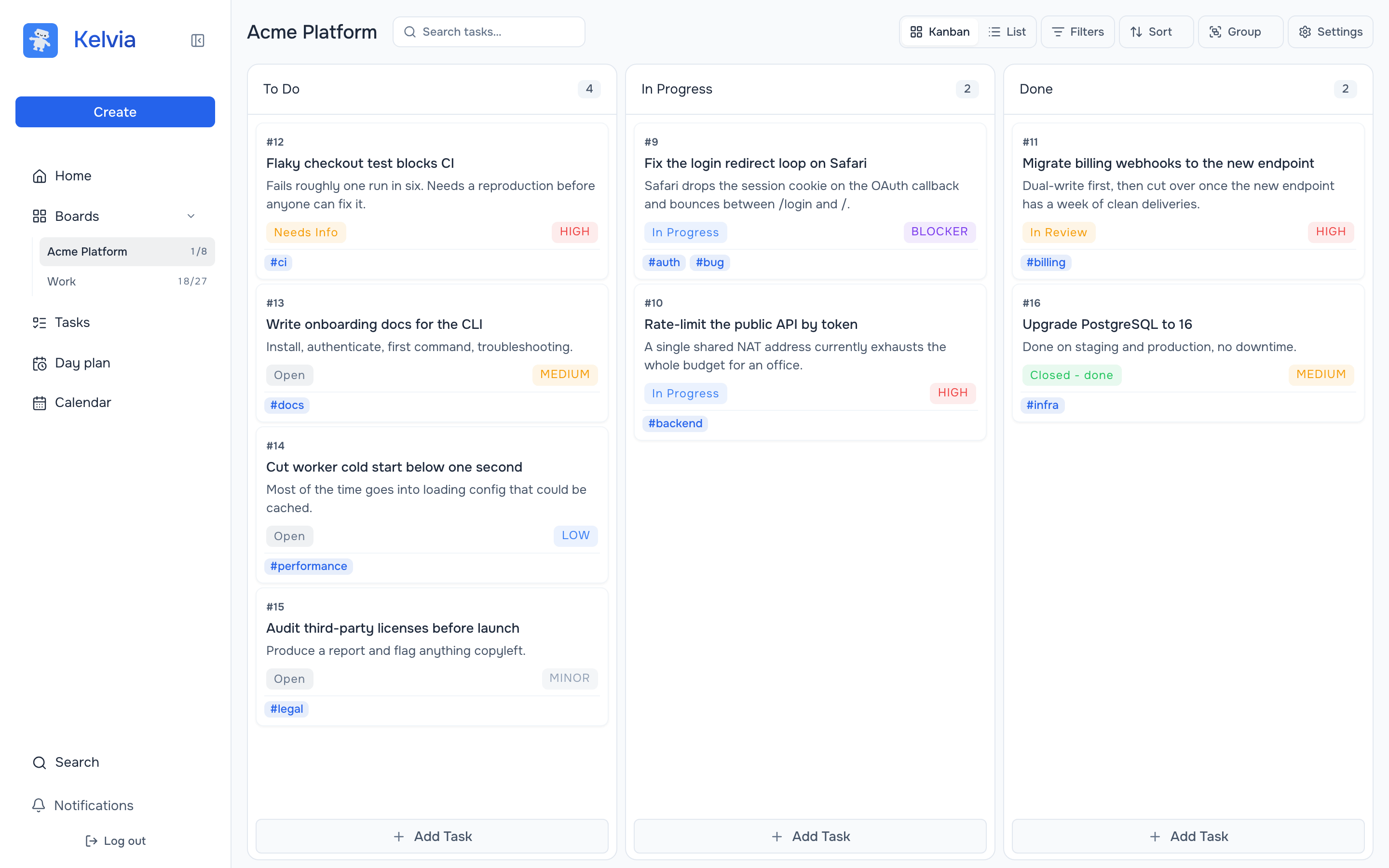
A Kelvia board: To Do, In Progress and Done columns with real tasks, statuses, priorities and tags

Everything is free. No paid plan, no card.

How the work actually moves

One task.
Two kinds of hands.

Task #9 goes from the person who filed it to the agent that fixed it — and back, where the person can check exactly what happened.

01 — by hand

A person files it and sets the priority.

Kanban, list, sprints, deadlines, tags. Nobody has to learn a protocol to plan the work — and there is a built-in AI assistant in the board for the people who would rather ask than click.

#9

Fix the login redirect loop on Safari

Safari drops the session cookie on the OAuth callback and bounces between /login and /.

In Progress Blocker
#auth#bug

02 — over MCP

The agent picks it up itself.

Claude Code, Cursor or Codex connects with one command and reads the same board — 58 tools, not a read-only bridge. It decides what matters, files the follow-up task and comments on the blocker.

claude — kelvia MCP

> Look at the Acme Platform board and tell me what to work on first.

Now let me find the board and its tasks in parallel.

kelvia — list_tasks (MCP) board_slug: "acme-platform"

└ 8 tasks · #9 is the only BLOCKER

kelvia — create_task (MCP)

└ #17 Add regression test for the Safari redirect

kelvia — add_task_comment (MCP)

└ comment added to #9

03 — under its own name

Everything it did stays visible, and reversible.

Status changes, comments and logged time land in the task history attributed to the agent, capped by its role on that board. You review the work instead of trusting a summary — and revert anything, or revoke the key, in one click.

Comments Activity Summary
Agent actions
  • RA
    Release Agent agent created the task #17
    Aug 10, 2026, 2:12 PM
  • RA
    Release Agent agent changed status
    OpenIn Progress
    Aug 10, 2026, 2:14 PM
  • RA
    Release Agent agent logged 2h
    Aug 10, 2026, 4:41 PM
  • AK
    Alexander reverted the status change
    Aug 10, 2026, 5:02 PM

The manager never installs anything. The agent never gets a private copy of the truth.

Features

Everything you need to get
tasks to Done.

It starts with a capable tracker: staged kanban, day planning, time tracking and roles. Then comes what others lack: AI inside the board and agents that can own complete tasks.

AI assistant on every board built in

Say it in words — get tasks

An AI assistant lives right inside the kanban board. Paste meeting notes, ask it to triage the inbox or plan a release — it creates tasks, priorities and tags without leaving the board. You only need to review.

02

Releases stay together

Drag-and-drop kanban plus stages. Releases and backlog live right on the board, so progress is clear in a second without reports.

kanban · stages · backlog
03

A day you can see

The day plan puts board tasks and personal time blocks on one timeline. No streaks or gamification — just an honest day.

day plan · time blocks
04

Know where the week went

Estimates and worklogs live in every task. People and agents write to one journal, so you can see what consumed time and how much remains.

worklog · estimates
05

Build a team in a minute

Send an email invite, choose a role, and they are in. Agents follow the same rules: their own role, authorship and instant access revocation.

roles · invites · keys
06

And everything that should come standard

Month, week and day calendar. Search, filters and tags, dark theme, five languages and mobile support — no add-ons or setup.

How it works

From client to board —
one MCP server.

The MCP server is an open repository. Run it locally next to your agent or connect to the hosted version — the board on the other end is the same.

MCP clients

Claude Code Cursor Codex CLI any MCP client
local stdio The client starts the MCP server next to itself. There is nothing to host. envYour key is in an environment variable•••••• remote HTTP / SSE Connect to a hosted server through Streamable HTTP with OAuth. headerThe key is in the request header, not the URL••••••

Your board

Kelvia° tasks · comments · worklog · roles

The same role permissions as people on the board.